
The Ultimate Guide to DJI Drone Maintenance: Tips for Longer Lifespan

Drones, especially DJI models, are powerful tools that blend advanced technology with ease of use. Whether you're a hobbyist, a filmmaker, or a professional surveyor, your DJI drone is a significant investment. Like any high-performance device, it needs regular care to maintain peak performance and avoid costly repairs. In this guide, we walk you through essential maintenance tips to extend the life of your DJI drone.
1. Read the Manual Thoroughly
Before flying or performing maintenance, always consult your drone's user manual. DJI provides specific guidelines for each model. Understanding your drone's capabilities, limitations, and maintenance recommendations is the first step toward longevity.
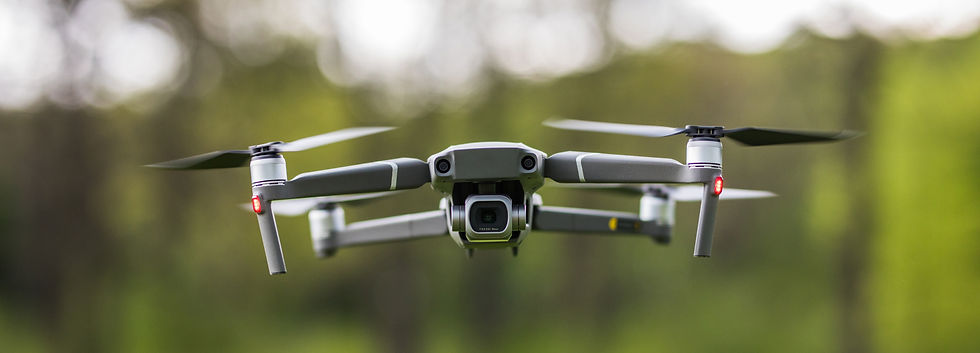
2. Pre-Flight Checkup: Your First Line of Defense
Conducting a pre-flight inspection is crucial. Here’s a simple checklist to follow before each flight:
Battery Level: Ensure the battery is fully charged and shows no signs of swelling or damage.
Propellers: Check for cracks, chips, or warping. Damaged propellers should be replaced immediately.
Camera & Gimbal: Make sure the gimbal cover is removed, and the camera lens is clean.
Firmware Updates: Verify that your firmware is up-to-date via the DJI Fly or DJI GO app.
Calibration: Recalibrate the compass and IMU if prompted by the app.
Obstacle Sensors: Ensure they are clean and unobstructed.
These steps take just a few minutes and can prevent major issues during flight.
3. Battery Care: Maximizing Power and Lifespan
DJI batteries, typically LiPo (Lithium Polymer), are sensitive and require specific care:
Storage: Store batteries at 50-60% charge if not in use for more than a few days.
Temperature: Avoid charging or flying in extreme temperatures. Ideal charging temperature is between 22°C and 28°C.
Cycle Management: Avoid over-discharging. Land your drone when the battery hits around 20%.
Regular Inspection: Look for puffiness, discoloration, or error messages in the app.
Reach out to your nearest Dji drone service center for better diagnose of you drone’s battery.

4. Firmware & Software Updates
DJI frequently releases firmware updates to enhance performance, add features, or fix bugs:
Backup Data: Before updates, backup any important flight data or footage.
Check Compatibility: Make sure mobile apps and hardware are on compatible versions.
Skipping updates can lead to errors or reduced functionality.
5. Get Professional Help When Needed
Not all issues can be DIY-fixed:
Motor Noise or Failure
Gimbal Malfunction
Battery Swelling or Error Codes
These signs often require professional servicing. Reach out to Dji drone service center for trustworthy support.
Conclusion
Taking good care of your DJI drone isn’t just about avoiding repair costs—it’s about ensuring every flight is safe, smooth, and productive. A well-maintained drone performs better, lasts longer, and gives you peace of mind. Make maintenance part of your routine, and your drone will reward you with reliable service for years to come.
If you ever feel unsure or face an issue, our expert DJI drone service center team is here to help you with diagnostics, repairs, or just friendly advice.
Fly Safe!

Comments